Share your accounts with your spouse
You and your spouse or partner can see each other's accounts in the app. It's view-only: neither of you can move the other's money.
How do I invite my spouse?
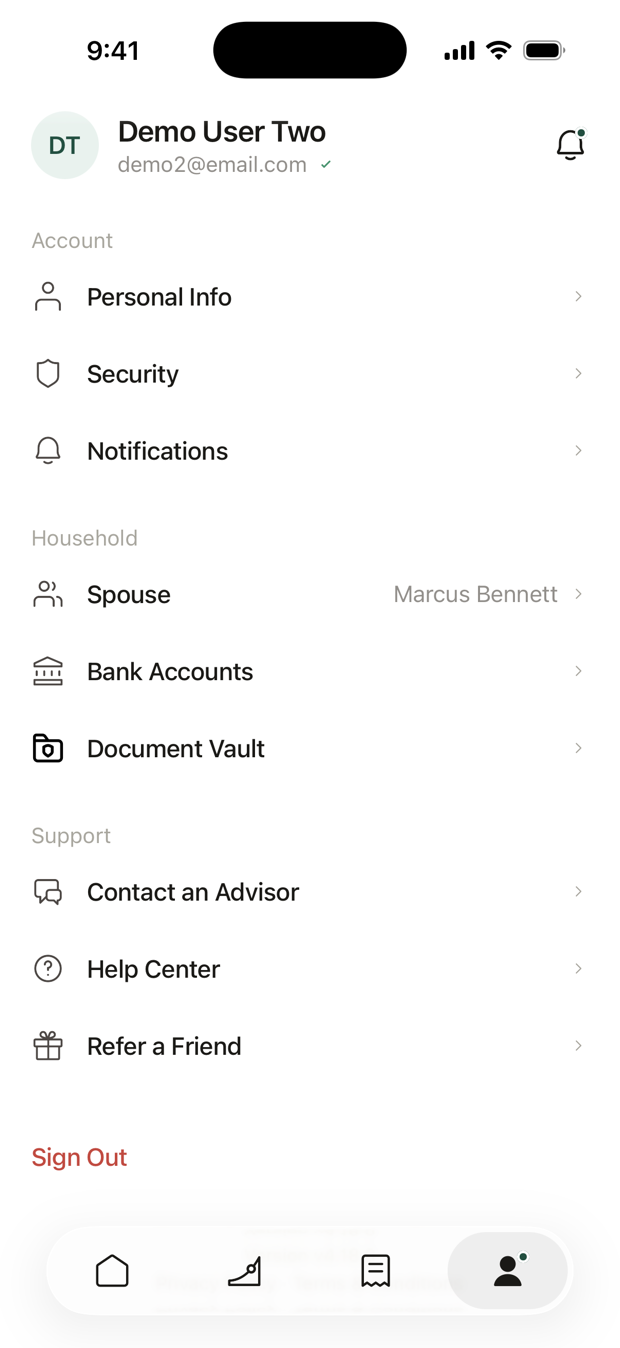
- Open Profile. Tap the person icon at the bottom of the screen.
- Tap Spouse, under Household. The row says Invite.
- Enter their email address. Tap Send Invite. We email them an invitation.
Until they accept, the row says Invite Sent. Tap it to see who it went to, or to Cancel Invite.
How does my spouse accept?
They follow the link in the email, and create a login if they don't have one. In the app they'll see Share Accounts? Tap Accept, or Decline.
They can also accept from Profile: their Spouse row says Accept Invite.
What can we each see?
| You can | You can't |
|---|---|
| See each other's accounts on Home, under your names | Deposit, withdraw or move each other's money |
| See balances and holdings | Change each other's portfolio |
The Net Worth on each of your Home screens includes both of your accounts. You each keep your own login and password.
Your Document Vault isn't shared automatically. It has its own switch. See Document Vault.
Can we plan retirement together?
Yes. In your retirement plan, open Advanced Plan Settings and turn on Include spouse. Then add their details.
How do I stop sharing?
Open Profile, tap Spouse, then Stop Sharing, and confirm. You both stop seeing each other's accounts right away.
Is this the same as a joint account?
No. Sharing lets you see each other's accounts.
A joint account is one account you both own, and either of you can withdraw from it. See Joint accounts.
Questions? Email support@alooola.com.