Beneficiaries and trusted contacts
A beneficiary is the person who receives an account if you die. You name beneficiaries separately for each account, in that account's settings.
How do I add a beneficiary?
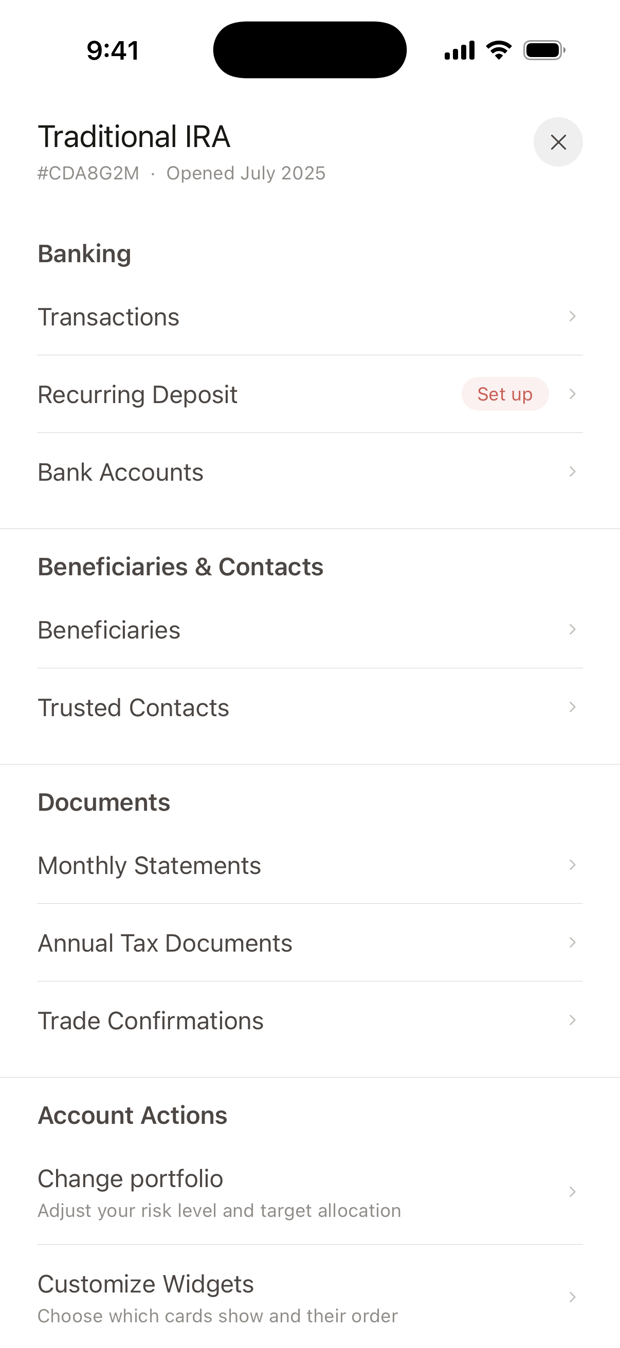
- Open the account's settings. Open the account from Home and tap ⋯ in the top corner.
- Tap Beneficiaries. It's under Beneficiaries & Contacts.
- Tap Add Primary Beneficiary. Enter their full name, date of birth and percentage. Email is optional. Tap Add.
- Add contingent beneficiaries if you want them. Tap Add Contingent Beneficiary the same way.
- Tap Save.
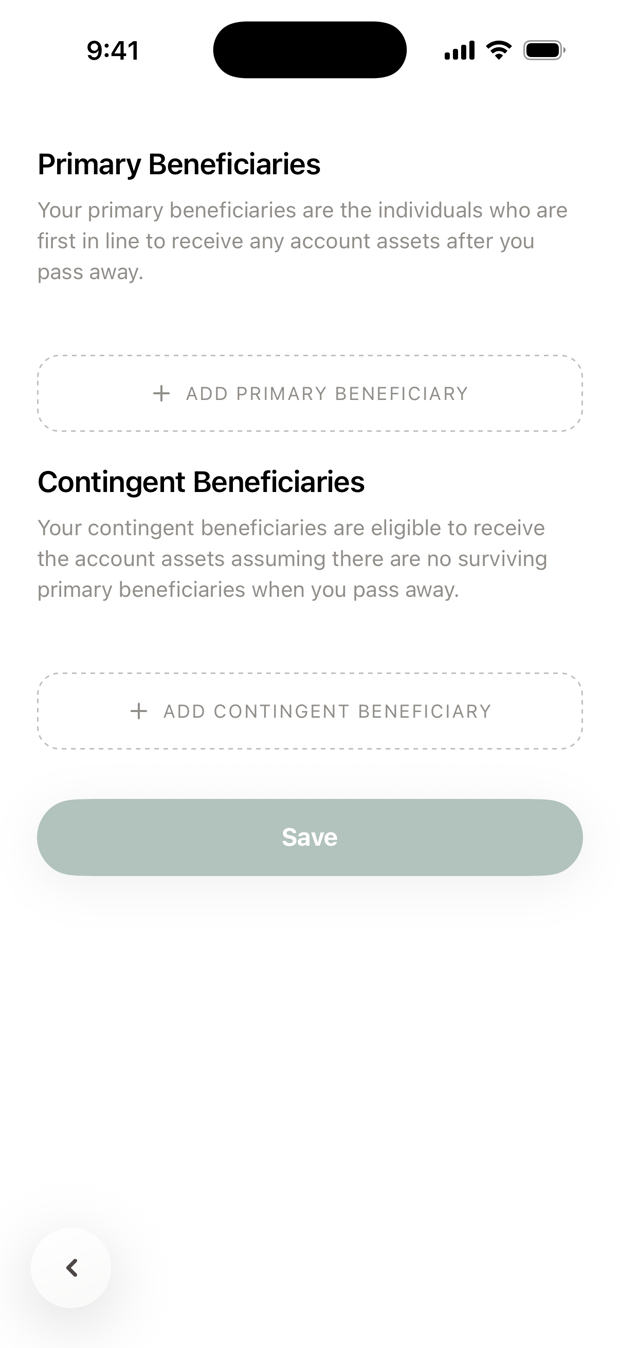
The percentages in each group must add up to 100. You can name up to four people in each group.
What's the difference between primary and contingent?
- Primary beneficiaries are first in line. They share the account by the percentages you set.
- Contingent beneficiaries receive it only if no primary beneficiary is alive.
Do beneficiaries apply to all my accounts?
No. Each account has its own. Adding someone to your IRA doesn't add them to your other accounts.
Is it different for a 401(k)?
Yes, a little. A 401(k) has one list, with no contingent group.
Tap Add beneficiary, and give each person an email or a phone number. The percentages must add up to 100.
Some older accounts, not held at Apex Clearing, also ask for each person's relationship to you and call the second group Secondary.
When should I review my beneficiaries?
A good habit is to check them after a marriage, divorce, birth, adoption or death in the family, and whenever you open a new account.
A beneficiary designation usually takes priority over your will for that account. If you have questions about how they fit together, talk to your estate attorney.
What is a trusted contact?
Someone we may call if we can't reach you, or if we're concerned about your account. A trusted contact can't see your account, make decisions about it, or move money.
Naming one is optional. To add one, open an account's settings and tap Trusted Contacts under Beneficiaries & Contacts. Enter their name and a phone number or email, choose the accounts they cover, and tap Add Contact.
Questions? Email support@alooola.com.