Deposits and withdrawals
You add money to alooola from a linked bank, and withdraw it back to that bank. A deposit usually arrives in one to three business days.
No bank linked yet? The deposit screen offers Connect a Bank, or see Link a bank.
How do I make a deposit?
- Start the deposit. On Home, tap +, then Deposit Money. Or open an account and tap Deposit at the bottom.
- Enter the amount. Check that the To row shows the right account; tap it to choose another. Tap Continue.
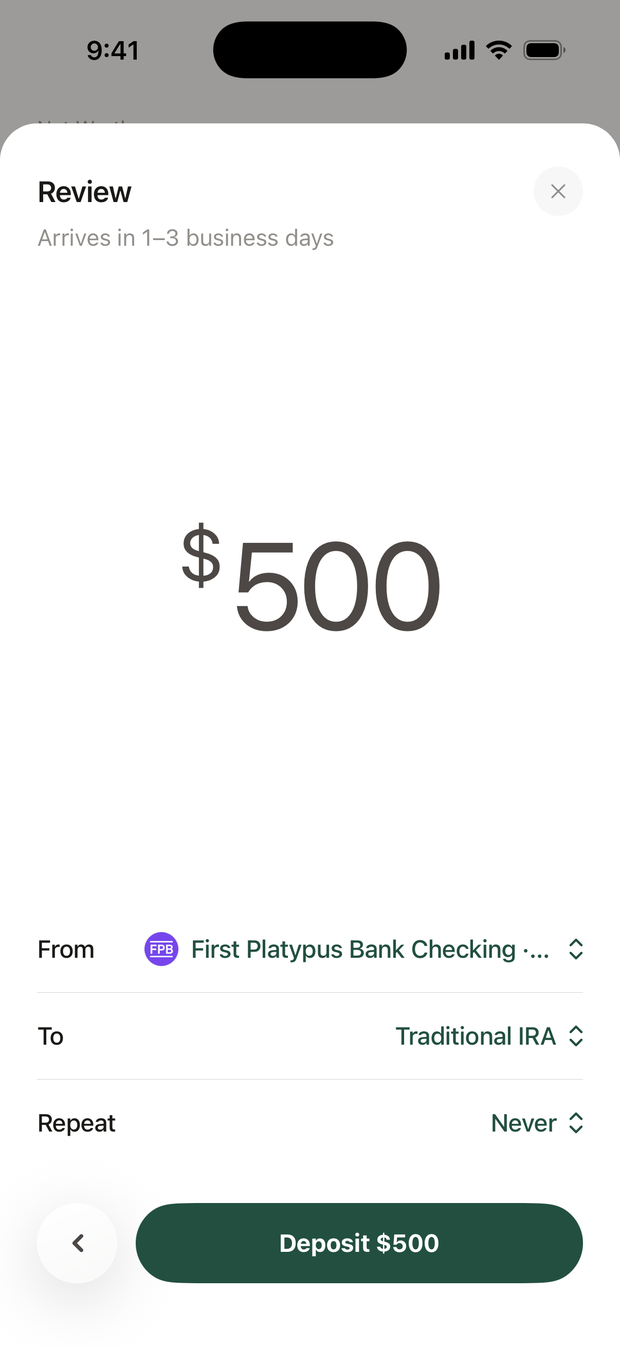
- Check the review. From is the bank the money comes from; tap it to choose another. Leave Repeat on Never for a one-time deposit.
- Tap the deposit button, for example Deposit $500. If you haven't entered a code in the last ten minutes, we text you one first.
How long does a deposit take?
One to three business days. Until then, it shows as pending on the account.
If the button says Reconnect and your bank's name, your bank connection needs refreshing first. Tap it and sign in to your bank.
How do I set up a monthly deposit?
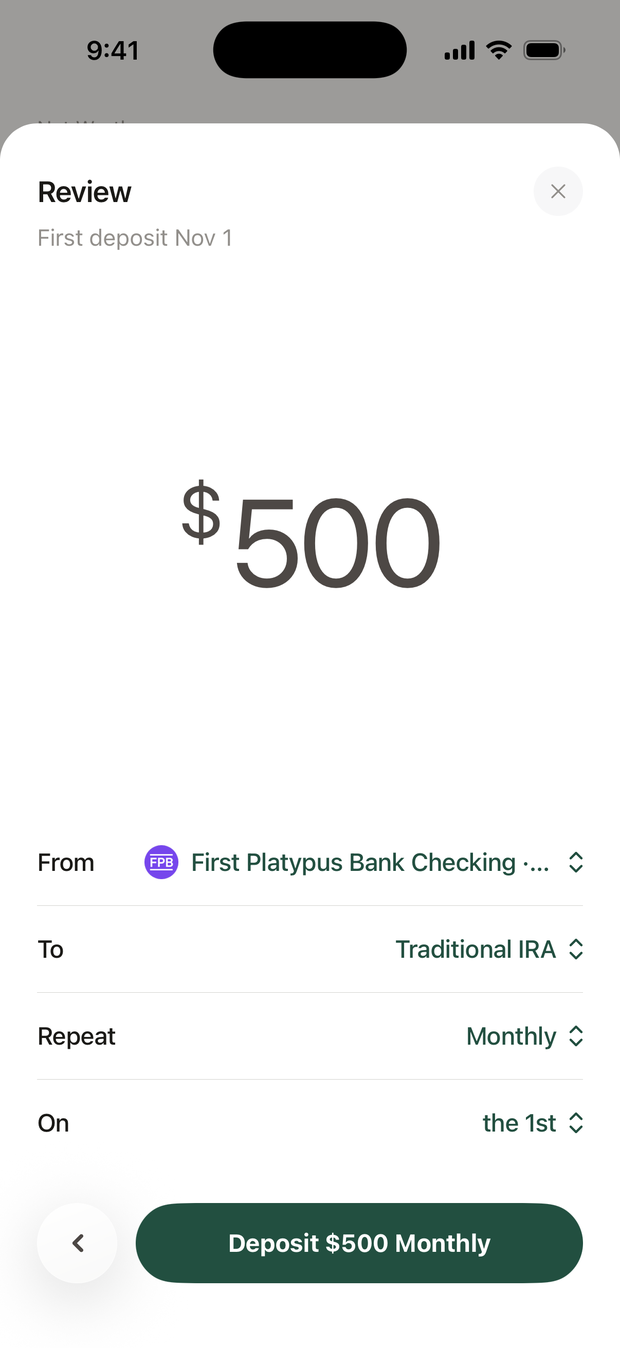
On the review screen, tap Repeat and choose Monthly, Every 2 Weeks or Weekly. Then pick the day under On: the 1st to the 28th for monthly, or Monday to Friday for the others.
The button changes to match, for example Deposit $500 Monthly. The review shows the date of the first deposit.
Good to know
- Each account has one recurring deposit. Setting up a new one asks Replace Recurring Deposit? Tap Replace to swap the old one for the new one.
- After a one-time deposit, the app may offer to repeat it monthly. Tap Not Now to skip.
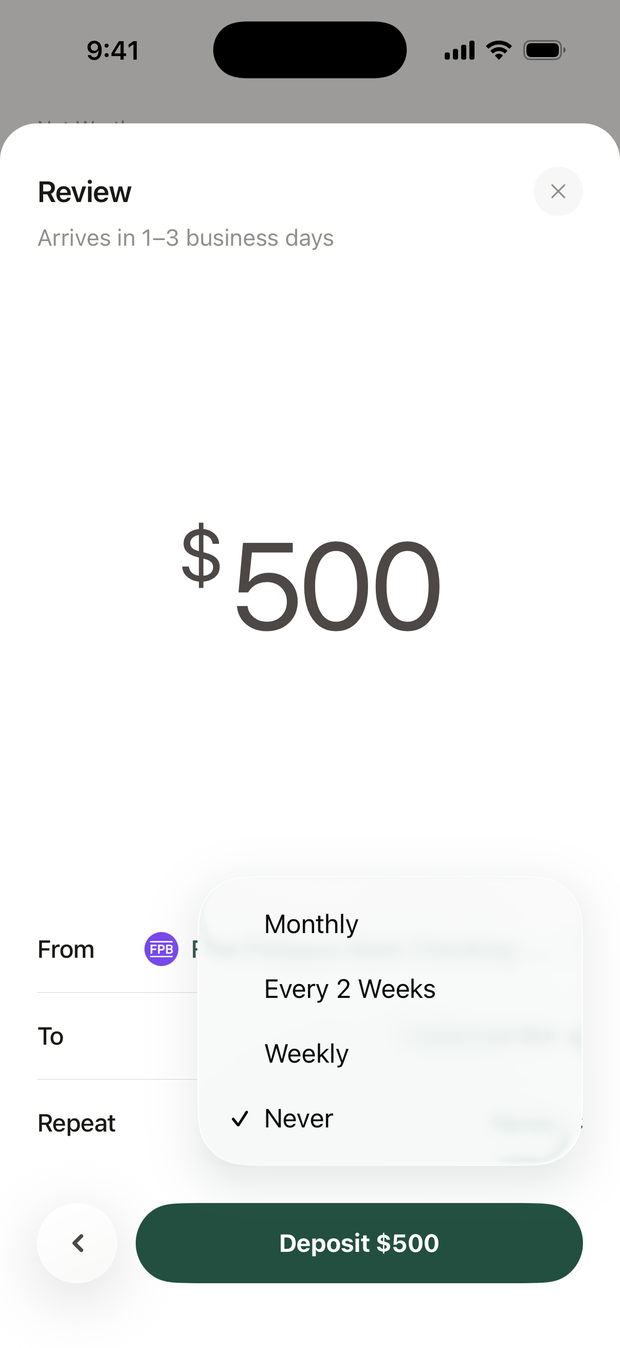
When you turn on Repeat, and after a one-time deposit, the app shows an illustration of how a regular deposit could grow. It is hypothetical, based on an assumed rate of return, and not a guarantee of future results. Investing involves risk, including possible loss of principal.
How do I change or stop a recurring deposit?
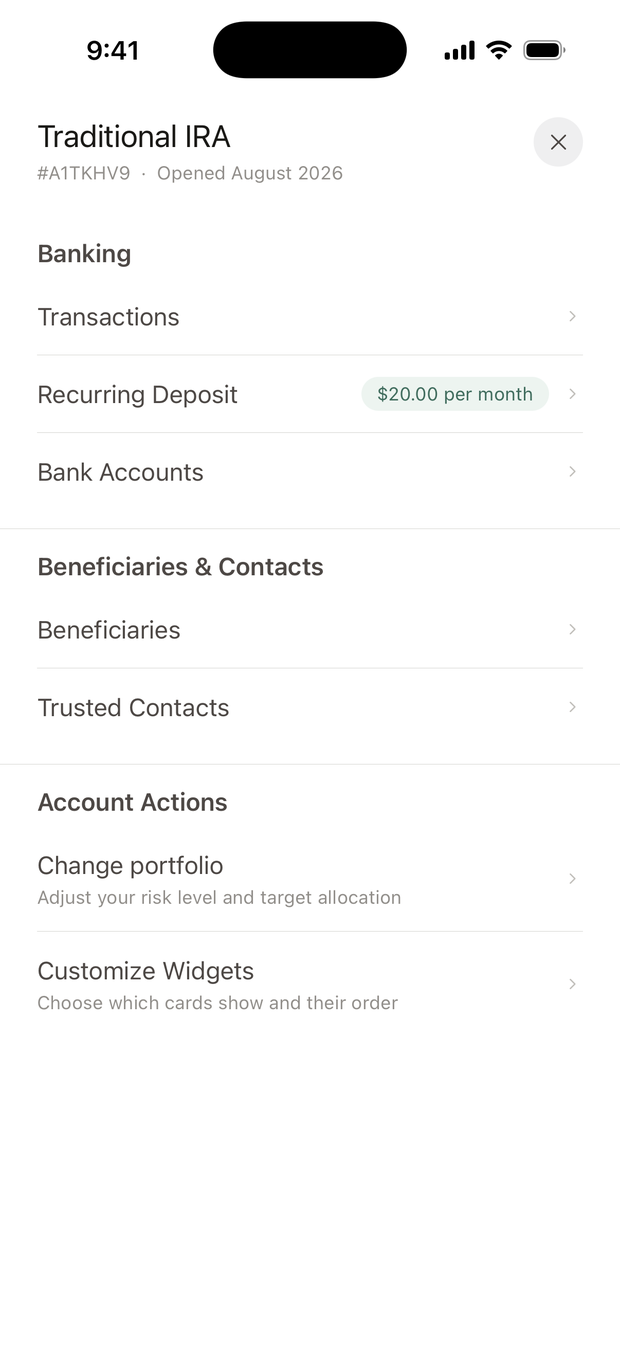
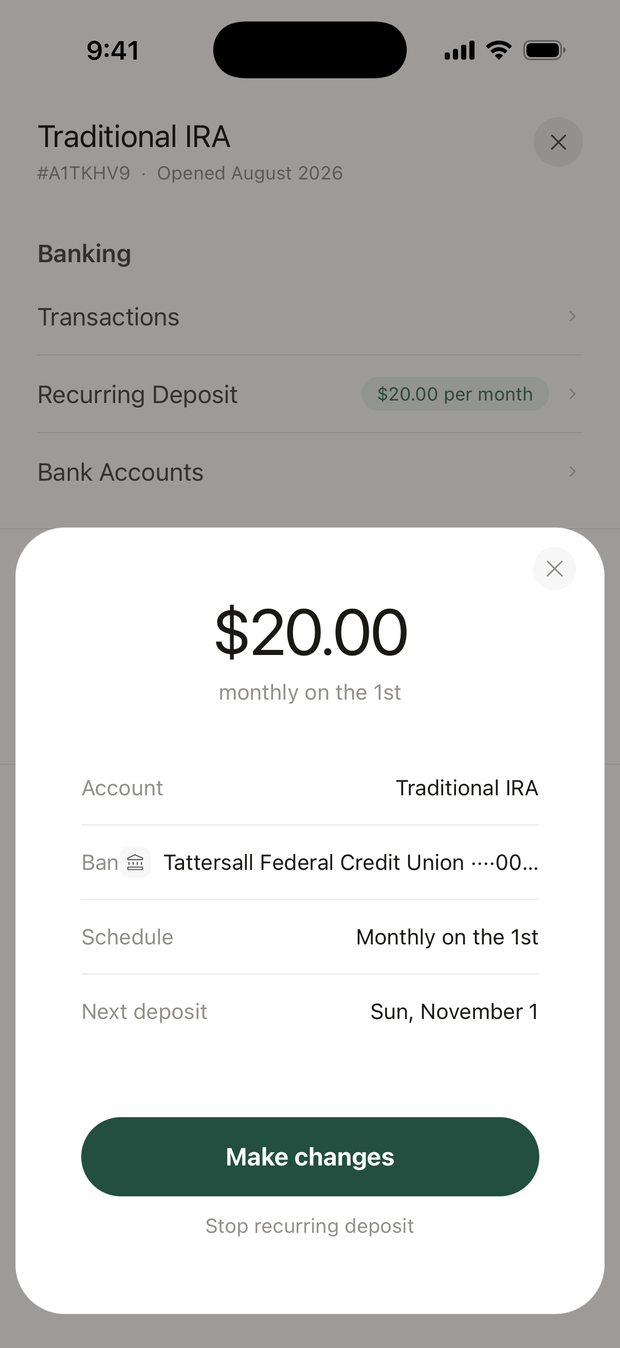
Open the account, tap ⋯ in the top corner, then Recurring Deposit. The sheet shows the bank, the schedule and the next deposit date.
- Make changes: change the amount, how often, or the day, then tap Save Changes.
- Stop recurring deposit: confirm, enter the code we text you, then tap Confirm cancellation.
What's different for an IRA?
- The amount screen shows your room for the year, under the IRS contribution limit.
- From January 1 to April 14, a one-time IRA deposit shows a Tax Year row. Choose whether it counts for last year or this year.
- Before a Roth IRA deposit, the app asks how you file taxes and your income (and your spouse's, if you file jointly). It asks once each calendar year. If your income is over the Roth limit, it offers a backdoor Roth instead.
How do I withdraw money?
- Open the account and tap Withdraw. It's greyed out when there's nothing to withdraw.
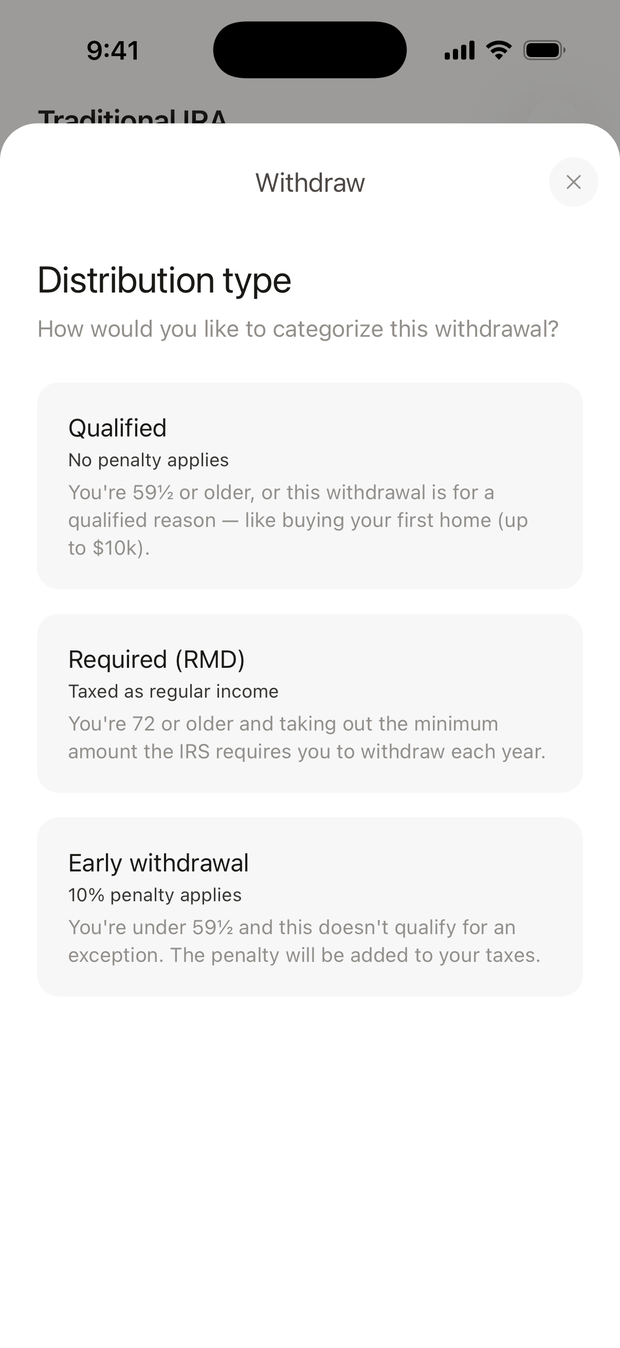
- For an IRA, choose the Distribution type. See the table below.
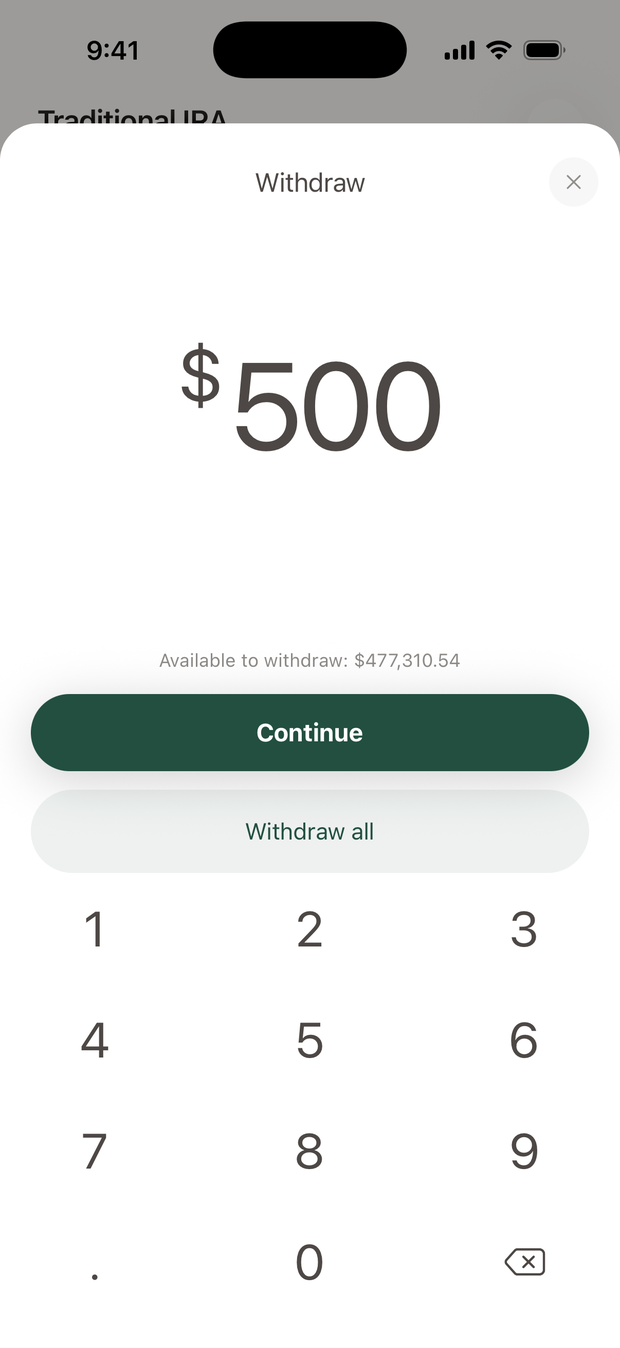
- Enter the amount. The screen shows how much is available. Some accounts also offer Withdraw all.
- Confirm. Tap Continue, check the amount, the account and the bank, then tap Confirm withdrawal.
| Distribution type | When it applies | What the app shows |
|---|---|---|
| Qualified | You're 59½ or older, or it's for a qualified reason such as buying your first home (up to $10,000) | No penalty applies |
| Required (RMD) | You're taking the minimum the IRS requires you to withdraw each year | Taxed as regular income |
| Early withdrawal | You're under 59½ and no exception applies | 10% penalty applies |
An IRA withdrawal may be taxed, and an early one may carry a 10% IRS penalty. If the amount is large, talk to your tax adviser first.
How long does a withdrawal take?
Three to five business days. On an account marked Discretionary under its name, the button says Request withdrawal and it takes five to seven business days, because investments may need to be sold first.
Money you've just deposited has to settle before you can withdraw it. When investments are sold, the cash is ready about one business day later.
Can I move money between my alooola accounts?
Yes, when you have two accounts you can deposit into. On Home, tap +, then Transfer Between Accounts.
Choose the account to move from and the account to move to, then tap Confirm transfer. It usually takes one to two business days.
Limits and timing
| What | Detail |
|---|---|
| Deposit arrives | 1 to 3 business days |
| Largest deposit | $50,000 per account per day |
| Withdrawal arrives | 3 to 5 business days; 5 to 7 from a Discretionary account |
| Between your accounts | 1 to 2 business days |
| Recurring deposits | Weekly, every 2 weeks or monthly; one per account |
What if something looks wrong?
- A deposit didn't arrive. Open Profile, then Bank Accounts. If your bank shows Reconnect, tap it and sign in again.
- I entered the wrong amount. Contact us right away.
- The code didn't arrive. Codes go to the phone number in Profile, then Personal Info. Update it there if it has changed.
Email support@alooola.com or call 484-275-5525 about any deposit or withdrawal that looks wrong.