Document Vault
Document Vault keeps your important paperwork in one place: the statements and tax forms we file for you, and documents you add yourself, such as insurance policies, a will or a W-2.
To open it, tap Profile (the person icon at the bottom of the screen), then Document Vault. For your alooola statements, see Statements and tax forms.
How do I add a document?
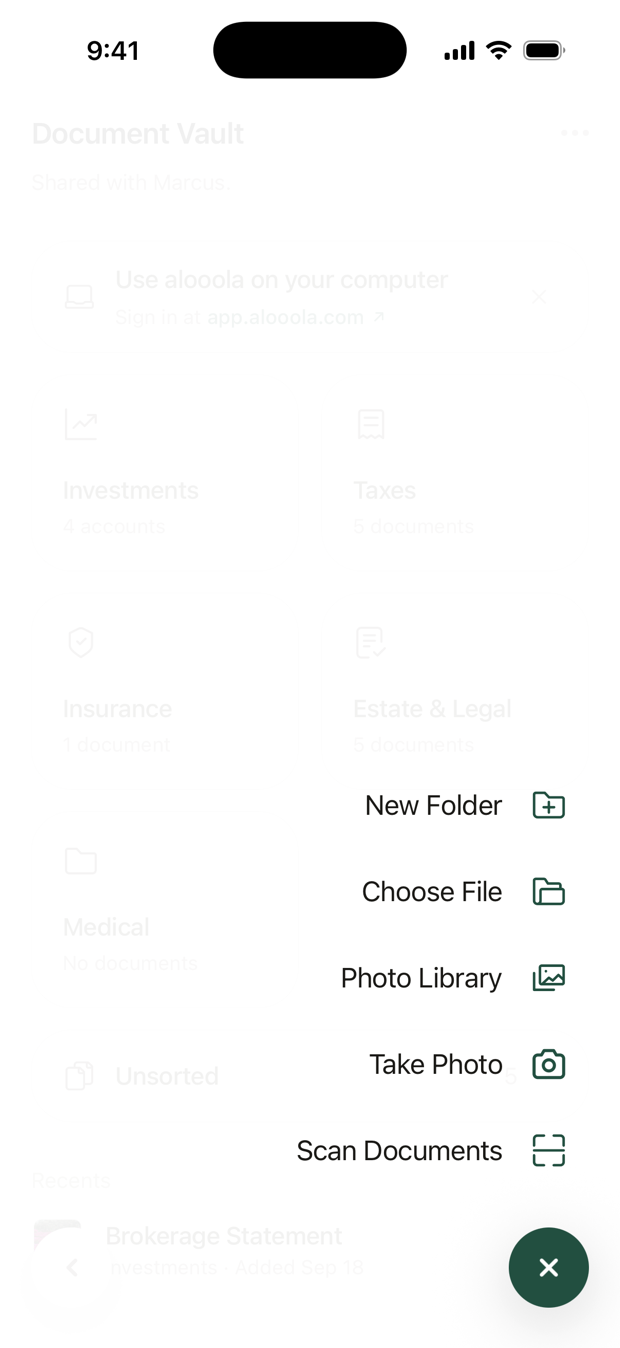
- Tap + at the bottom of the vault.
- Choose how to add it: Scan Documents, Take Photo, Photo Library or Choose File.
- Check the details. Edit the name, pick a Folder and, if you like, a Type.
- Tap Save.
You can add PDF, JPEG, PNG and HEIC files, up to 25 MB each.
How are documents organized?
The vault starts with four folders: Investments, Taxes, Insurance and Estate & Legal. A document you add without choosing a folder waits in Unsorted.
Can I make my own folders?
Yes. Tap ⋯ at the top of the vault, then New Folder, and give it a name and an icon.
- To move a document, open it, tap ⋯, then Move.
- To rename or delete a folder you made, open it and tap ⋯. Deleting a folder moves what's in it to Unsorted, so nothing is lost.
How do I replace a document with a newer one?
Open the old one, tap ⋯, then Add New Version. Earlier copies stay under Versions & History. This is handy for a renewed policy or an updated will.
How do I search?
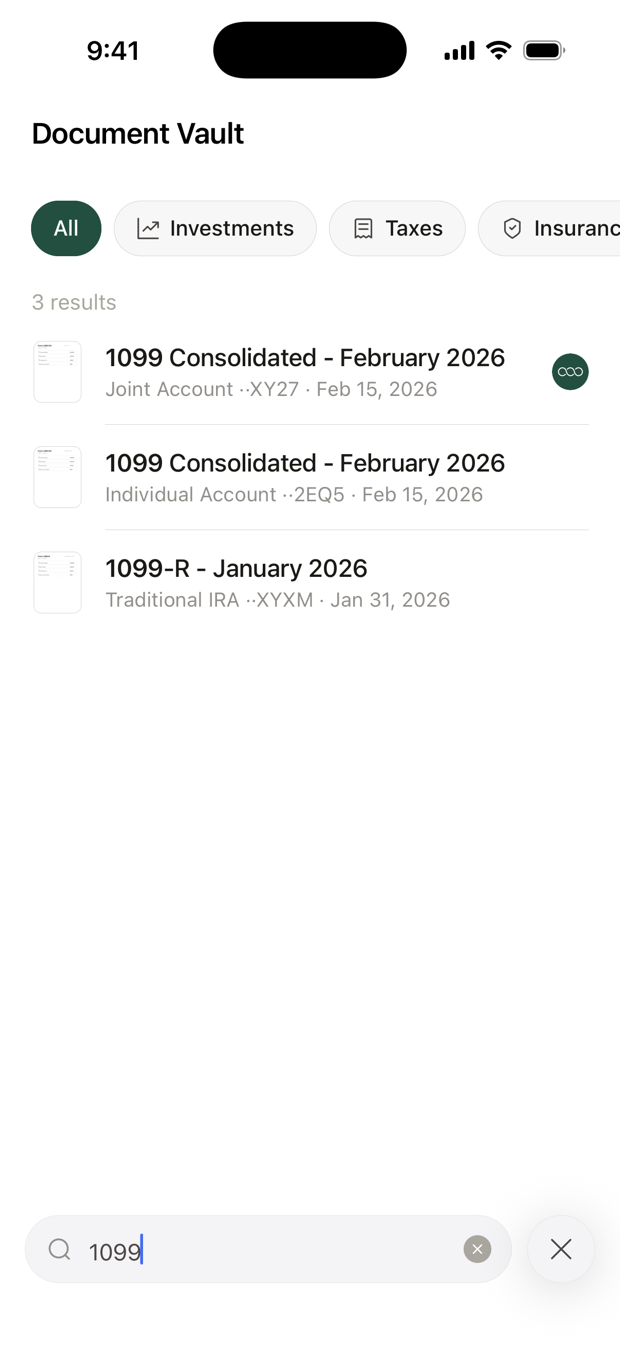
Tap the search button above + and type. Search looks at names, types, folders, accounts and dates. It also reads the words inside most PDFs, and inside photos and scans you add in the app.
A document has to match every word you type. Tap a folder above the results to search only that folder.
How do I share my vault with my spouse?
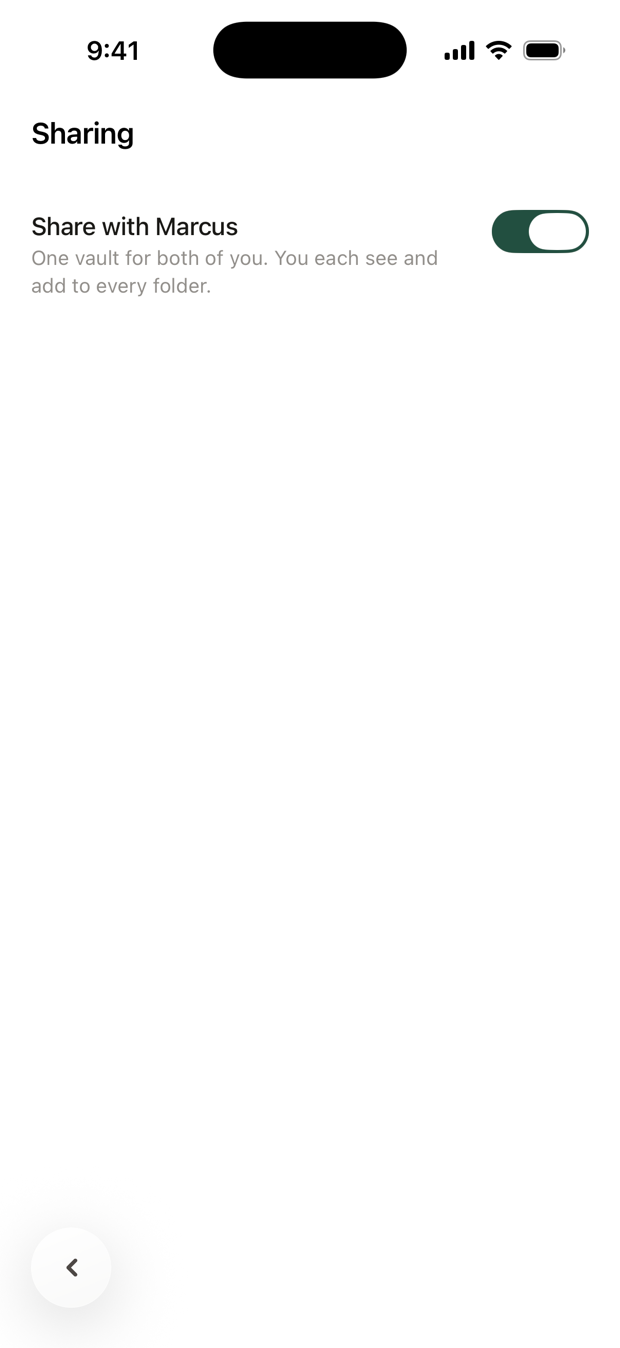
Tap ⋯ at the top of the vault, then Sharing, and turn on Share with your spouse. Nothing is shared until they accept. Then you both see and add to one vault.
- Each document belongs to whoever added it. Only they can rename, move or delete it.
- To keep a document private, open it, tap ⋯, then Hide from your spouse.
- Either of you can stop sharing by turning the switch off. You each keep what you added.
Sharing needs a linked spouse first. See Share your accounts with your spouse.
Can I use the vault on a computer?
Yes. Sign in at app.alooola.com and open Document Vault from your profile. It's the easiest way to add a stack of paperwork from a laptop or scanner.
In the app, tap ⋯, then Use on Your Computer, to copy the link or send it to yourself.
Who can see my vault?
- You
- Your spouse, once you share your vault
- The other owner of a joint account, for that account's documents
- Your alooola advisors
Questions? Email support@alooola.com.