Spending
Connect a bank, and the Spending tab shows where your money goes each month, sorted into categories.
How do I start?
- Tap the Spending tab, then Get Started.
- Tap Connect a Bank. Sign in to your bank through Plaid. alooola never sees your bank password.
- Wait while we sort your charges. The app shows Analyzing your spending.
- Check your first charges, then tap Continue to Spending.
Spending uses the same banks as the rest of the app. A checking or savings account you connect can also fund your investments.
Credit cards are for spending only. See Link a bank.
What's on the Spending tab?
- Review: a count of charges waiting for a quick check, next to the title. It only appears when there are some.
- Insights: this month's spending so far, next to last month. Tap last month to compare with any of the past 12.
- Recurring: your next two upcoming bills and subscriptions.
- Recent Activity: your latest charges.
What's in Insights?
Tap Insights for two views:
- Spending: your totals for the past six months, and a breakdown for the month you tap.
- Cash flow: money in against money out each month, and what you saved.
On both, switch between Category (what you paid for) and Merchant (who you paid).
How do I review charges?
Tap Review. You'll see one charge at a time from the last 30 days.
- Fix anything that's wrong: the merchant's name, the category, or whether it repeats.
- Approve (or swipe right) to save it. Your fixes also apply to that merchant's future charges.
- Skip (or swipe left) to leave it for later.
How do I change a charge's category?
Tap the charge, then change its category. The app asks whether to apply it to that merchant's other charges. Tap Just This One, or Apply to All to include future charges too.
How do I track bills and subscriptions?
Tap Recurring. A calendar shows what's due each day, with paid ones greyed out. Below it are Upcoming and Completed charges.
- New Recurring lists charges we think repeat. Tap one, then Keep or Not Recurring.
- Tap any recurring charge to see how often it repeats, the next date and its history. You can also pause it or mark it as not recurring.
- To add one yourself, tap ⋯, then Add Recurring. Pick a recent charge, choose how often it repeats, and tap Save.
How do I manage categories and merchants?
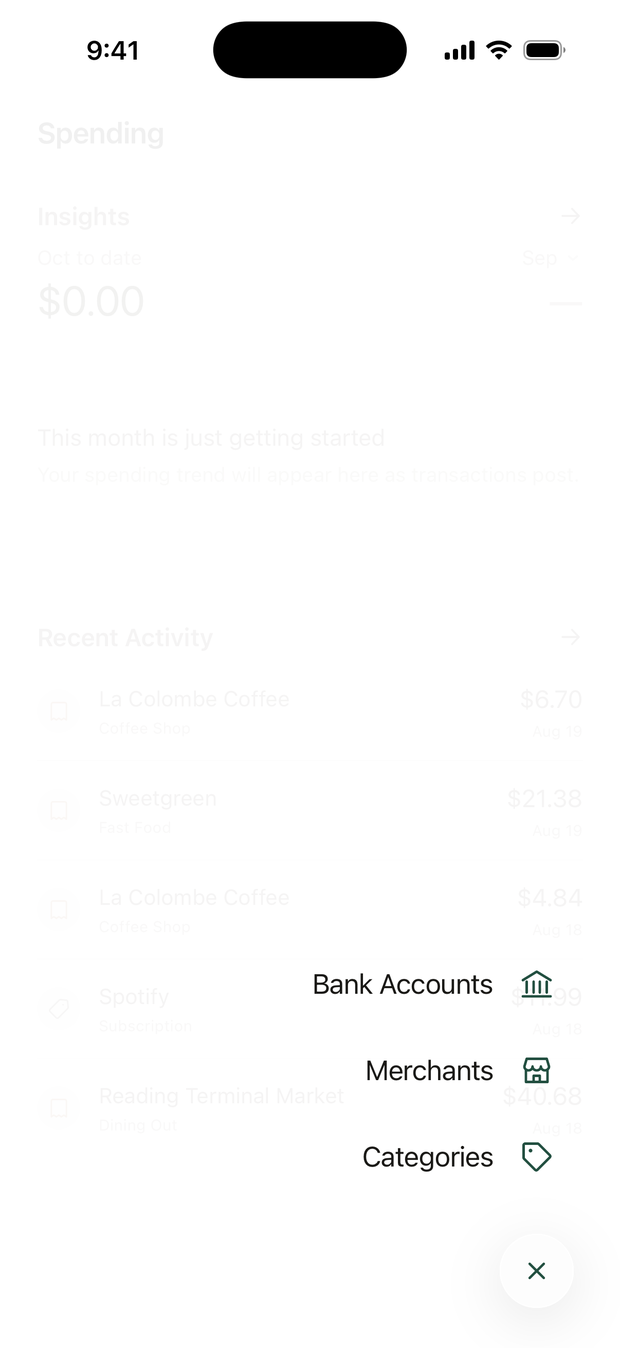
On iPhone, tap ⋯ next to the tabs at the bottom. On Android, tap the menu button there to open Manage Spending.
- Categories: hide or show the standard ones, and add, rename, move or delete your own. Deleting one moves its charges to Other Spending.
- Merchants: rename a merchant, merge two into one, hide one from your lists, or set its category.
- Bank Accounts: connect or remove banks.
Questions? Email support@alooola.com.