Contact us or book a call
Email support@alooola.com or call 484-275-5525. We're here Monday to Friday, 9am to 5pm ET, and usually reply within one business day.
When should I email, and when should I call?
- Email for anything with detail, like a transfer that looks wrong or a document you need. Write from the email address on your account.
- Call for anything urgent, or when talking is quicker.
Can I contact you from the app?
Yes. Open Profile, then Help Center:
- Email Support starts an email to support@alooola.com.
- Report an Issue starts an email to the same address, with the subject "Issue report".
How do I book a call with an advisor?
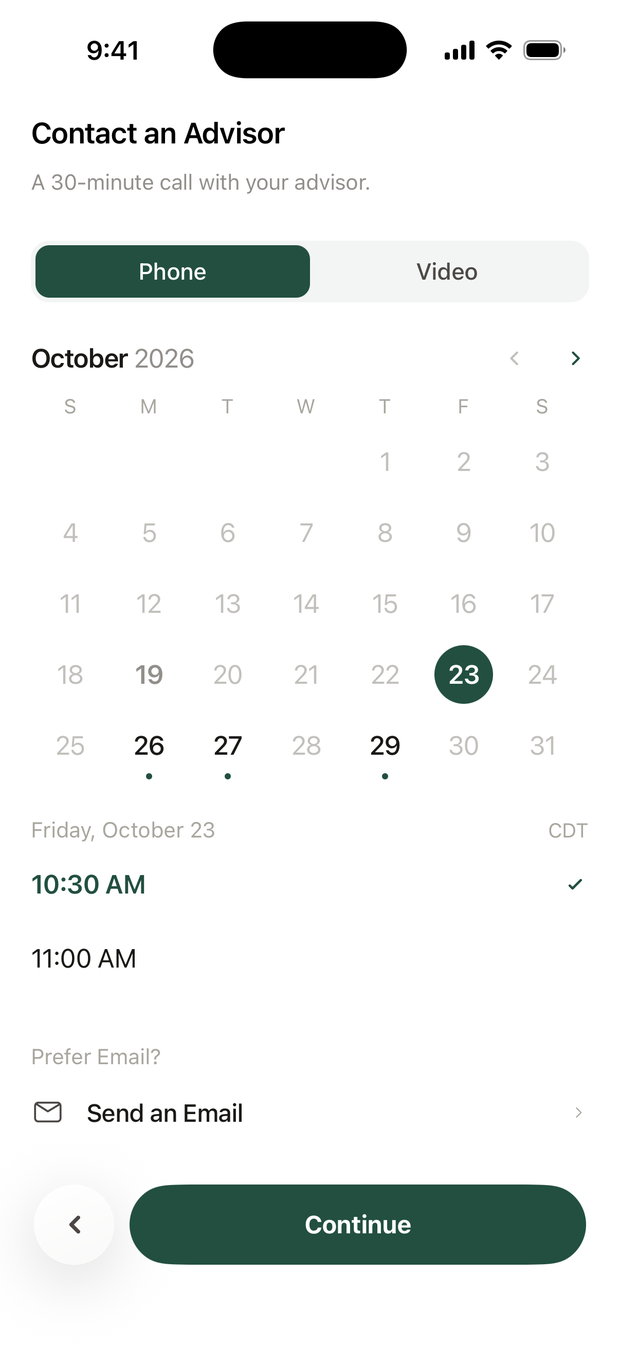
- Open the booking screen. In Profile, tap Contact an Advisor. Or on Home, tap +, then Talk to Your Advisor.
- Choose Phone or Video.
- Pick a day and time. Days with open times have a dot. Times show in your time zone. Tap Continue.
- Confirm. If you like, choose a Topic and add a note for your advisor. Tap Book Call.
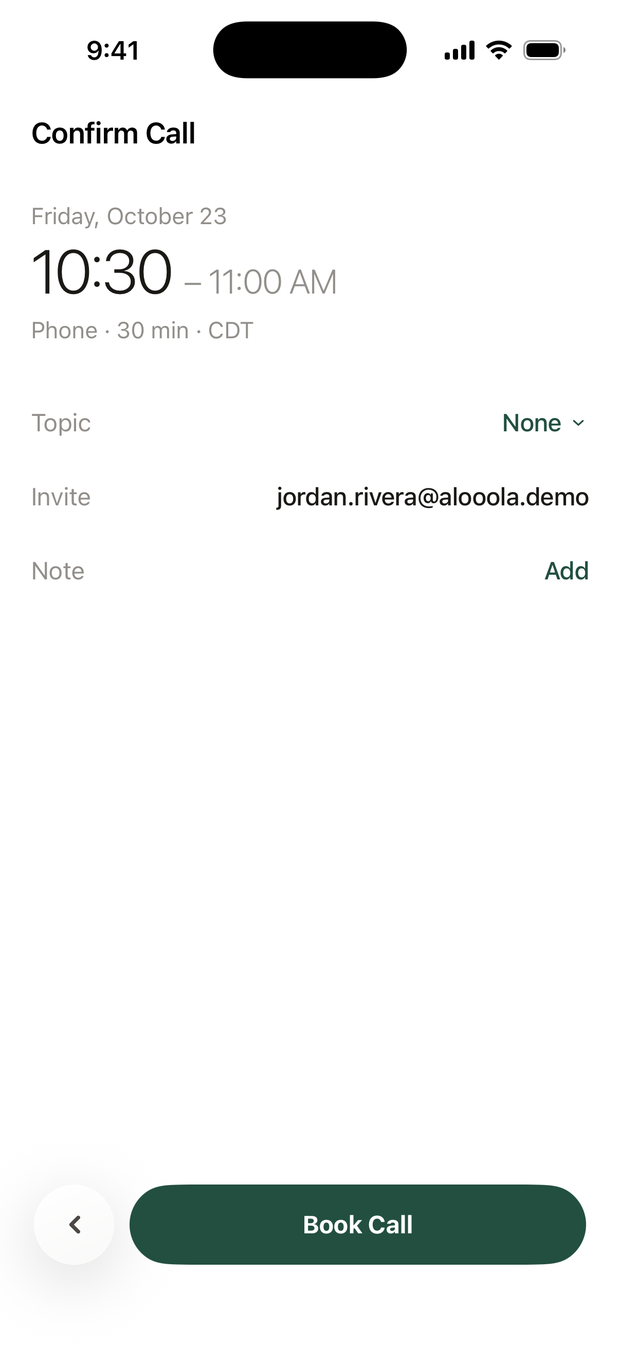
You'll see You're Booked, and a calendar invite arrives by email. You can Reschedule or Cancel Call from that screen or from the invite.
If no times are open in the next four weeks, the screen says so. Tap Send an Email to write to us instead.
What should I include when I write?
- Which account (for example, Roth IRA or Individual)
- What you expected to happen
- What happened instead, and roughly when
Screenshots help. Please never email your full Social Security number or your password. We will never ask for either.
Before you write, the FAQ may already have your answer.